
Narinig Mo Ba
Launching Narinig Mo Ba
Preparing the browser build...
Psychological horror · Adults · Mouse recommended
Narinig Mo Ba
A little shop with a lot to overhear
Narinig Mo Ba starts with a place that feels ordinary: a sari-sari store, the small neighborhood shop where people stop for everyday supplies and a conversation. You are behind the counter. Customers have things to buy, but they also have things to say. Listen closely enough and those casual visits start to carry more weight than the shopping itself.
The player above opens the version without a website account. Press Play now, give the first download time to finish, and click inside the game when it is ready. A computer with a mouse is the best starting point. If the embedded view feels cramped, use the fullscreen control beside the title.
What kind of game is Narinig Mo Ba?
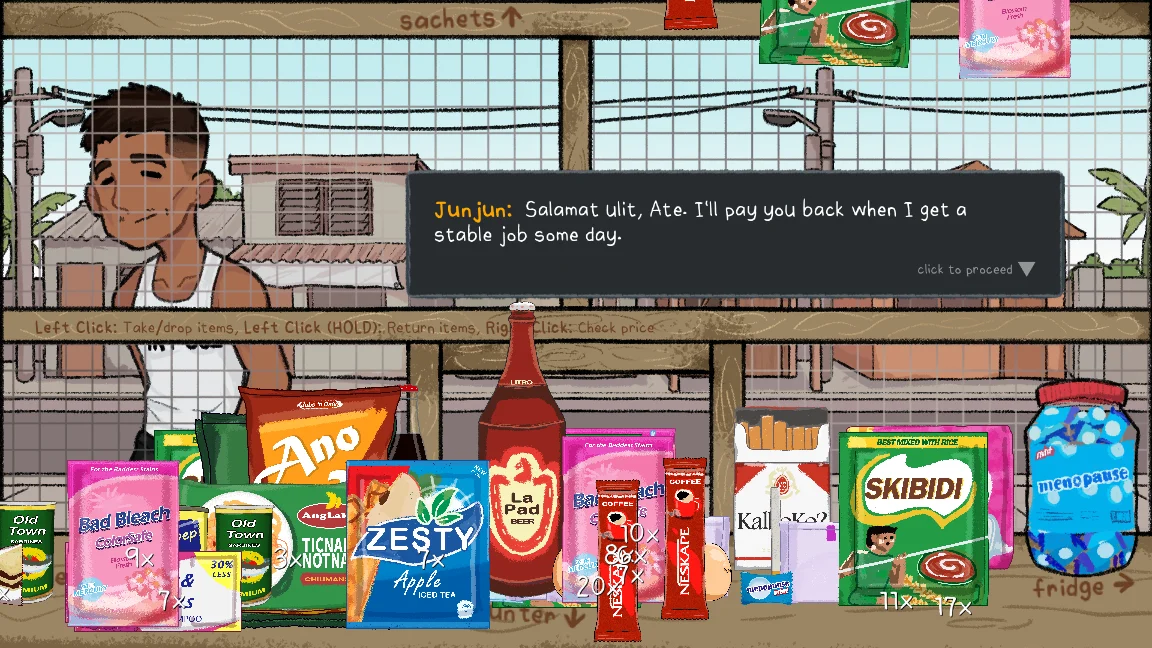
This is a story-led psychological horror game built around running a Filipino neighborhood store. The welcoming illustrations and everyday conversations are part of its appeal. They also make the unease harder to dismiss: you are still in a recognizable place, speaking to people who seem to belong there, while the story asks you to reconsider what you have heard.
Narinig Mo Ba Game searches sometimes suggest a straightforward business simulator. Come for the shop setting, but leave room for a darker story. The useful habit here is paying attention. A rushed conversation can leave you with the outline of an event while missing the uncertainty, hesitation, or small detail that made it troubling in the first place.
There is no need to read an ending explanation before you begin. The introduction gives you enough context to follow the ordinary work of the store. Let the rest arrive through play. This guide keeps the plot’s central revelations out of the instructions, and the videos farther down the page are marked because a playthrough can reveal much more.
Your first minutes in Narinig Mo Ba
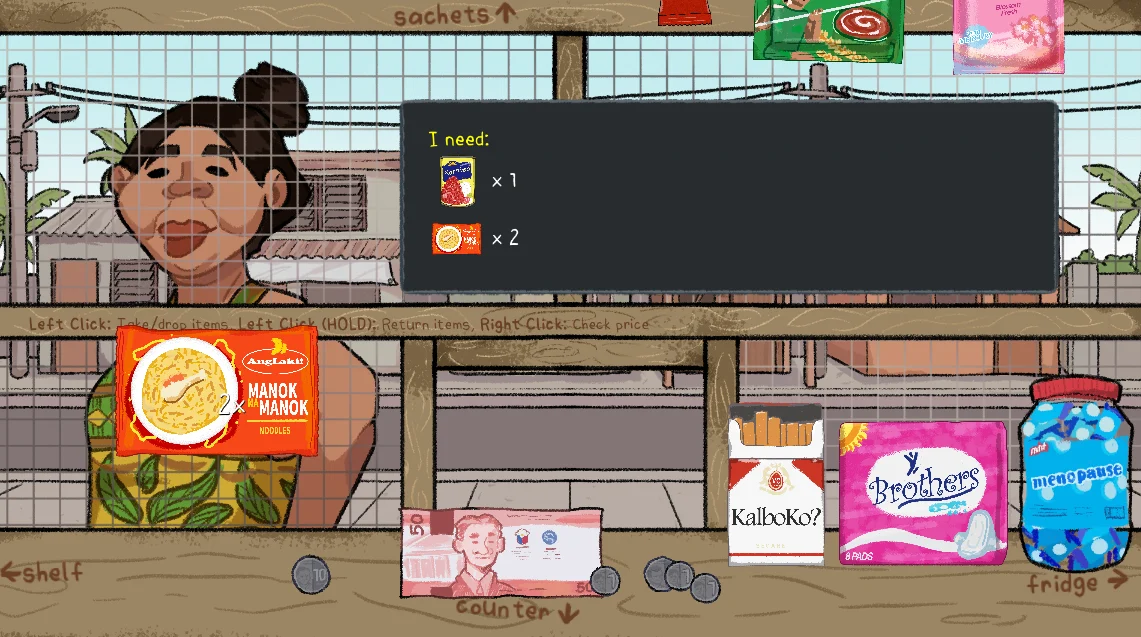
Start Narinig Mo Ba by reading the control strip across the counter. Left click takes or drops an item; holding the left button returns it. Right click checks a price. Read the customer’s order before reaching for stock. Those little product pictures and quantity marks are more useful than guessing what someone wants from the conversation alone.
Keep the mouse near the middle of the game while reading. When you want to look around, move deliberately toward the area you want to inspect. If the view shifts unexpectedly, bring the pointer back toward the center before trying again. A larger window can make the boundaries between interactive areas easier to judge.
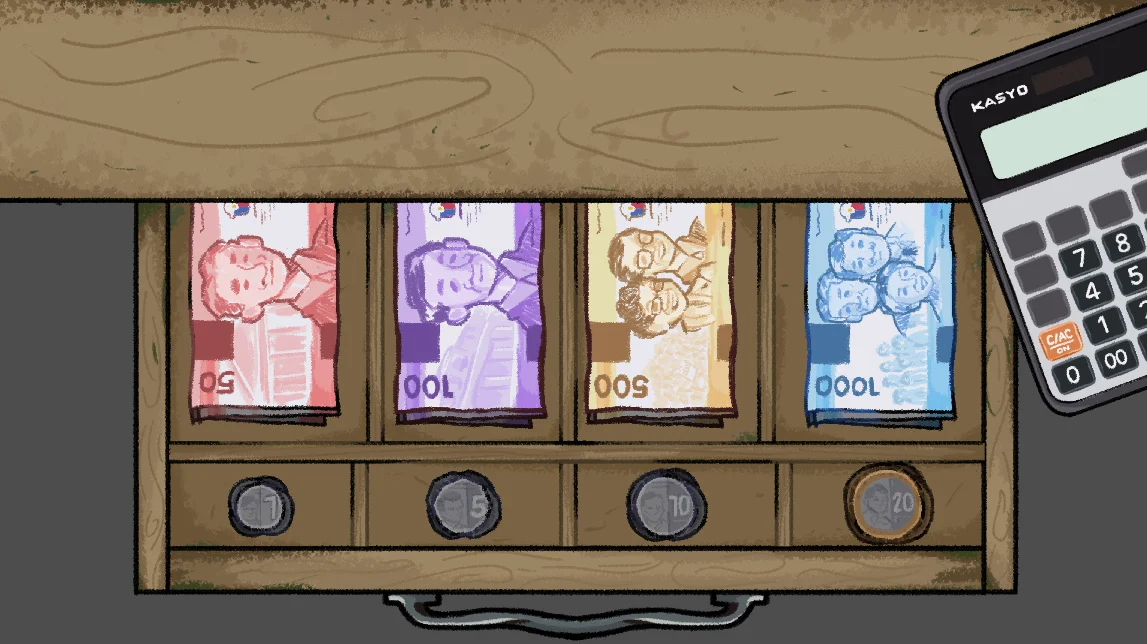
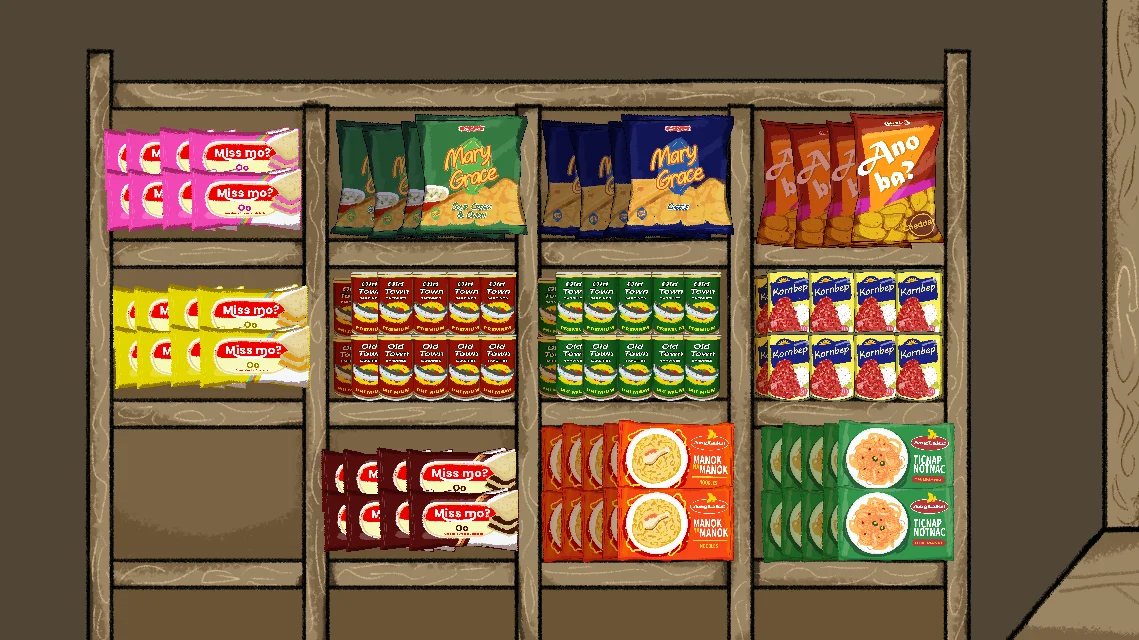
For a first Narinig Mo Ba session, learn where the shop keeps things. The view points toward the shelf, fridge, sachets, and counter. The cash drawer holds separate notes and coins, with a calculator beside it. Locate these areas before a busy transaction. Take care with quantities; grabbing the right product twice still leaves you counting two.
Why conversations matter in Narinig Mo Ba
The store in Narinig Mo Ba is a useful place for a story about gossip. People have a reason to stop, linger, and talk, so a conversation can begin without feeling like a formal interview. What sounds like a passing remark may change how you understand a later visit. You are following a neighborhood through the fragments people choose to share.
In Narinig Mo Ba, listening is as much a part of the experience as handling the store. Notice who is speaking and what they seem certain about. A rumor and a firsthand account are not the same thing. You can keep that distinction in mind without turning your first playthrough into a notebook full of clues and theories.
Resist the urge to look up every unfamiliar moment immediately. A story like this needs a little uncertainty to work. If something feels unresolved, keep it in mind and continue until the game gives you a reason to revisit it. You may enjoy comparing interpretations afterward, when an explanation cannot spoil a scene you have yet to see.
Practical habits for Narinig Mo Ba
Play Narinig Mo Ba with sound at a comfortable level. Click or tap inside the player first if the browser has kept audio silent, then check your tab and device volume. Headphones can make quieter details easier to hear, but loud volume is unnecessary. Stop or lower the sound if the atmosphere becomes uncomfortable.
Keep other demanding tabs closed during the initial load. This browser version downloads substantial game files, so a short wait does not necessarily mean it has frozen. Avoid launching several copies while you wait; each tab can compete for memory, processing time, and bandwidth. One player is easier to troubleshoot than three half-loaded ones.
The share control copies or opens a link to this page. It does not send your progress to another person. Likewise, moving from the embedded player to a separate tab may start another session. Finish a scene before changing how you are viewing it, and do not assume that two open copies will keep their state synchronized.
Playing Narinig Mo Ba Online on a smaller screen
The page fits a phone screen, and the player has its own smaller-screen layout. That does not automatically make every interaction in the game touch-friendly. Small targets, pointer movement, and browser memory limits can all matter. If you can reach the menu but cannot comfortably work around the shop, switch to a computer with a mouse.
For Narinig Mo Ba Online, landscape orientation gives the scene more horizontal room. Rotate your phone before launching if that is more comfortable. Try the separate-tab link if browser bars cover part of the view. Fullscreen availability varies between browsers, so the link remains useful even when a fullscreen request is not supported.
Do not treat a successful opening screen as proof that your device can finish the whole story. Try the early interactions before committing to a longer session. The browser and operating system can suspend a background tab, especially on a phone. Keep the game in the foreground and avoid switching between several memory-heavy apps while playing.
If Narinig Mo Ba is blank, quiet, or stuck
When Narinig Mo Ba does not start, first check that the page itself has finished loading and that you pressed the play button. Wait for the game download before refreshing. If the same failure happens again, reload the page and start the player once more; a fresh load helps separate a temporary network problem from a loading problem.
A blank view can also follow a temporary network interruption. Check the connection, close extra game tabs, and try a normal reload. If you have blocked scripts or external media, review the setting for this page. You can test with another browser without changing your everyday privacy preferences everywhere else. There is no reason to disable protection across all websites.
For Narinig Mo Ba audio problems, check whether the tab is muted, then interact with the game once. Browsers often need a user gesture before sound can begin. If the picture works but audio stays silent, check any sound settings offered inside the game. Raising the device volume alone will not help when the browser tab itself is muted.
Installing the Narinig Mo Ba website
The two Install site buttons add this website to your device when your browser supports installation. One lives in the header and the other beside the player controls. They offer the same installation, so you only need to use one. A browser without an installation option may hide both buttons; that does not prevent normal browser play.
An installed Narinig Mo Ba website is a convenient shortcut with its own window. It is not a separate game download or a promise of offline play. The game still loads from its hosting service. Keep an internet connection available, and remember that clearing site data can remove cached pages, preferences, or any progress the embedded game stores locally.
We do not promise cloud saves, cross-device progress, or a recoverable save after browser data is cleared. Before you close a session, check the options the game itself provides. If you are investigating a problem, try a reload or another window before deleting storage. Deleting everything is a poor first troubleshooting step when you want to preserve your place.
Before you start Narinig Mo Ba
Narinig Mo Ba pairs inviting artwork with psychological horror and disturbing story material. This page is intended for adults. If you came looking for a gentle shop-management game, read that distinction before pressing Play. You can leave at any time, and watching a video is not necessarily a gentler alternative because it can show the unsettling material.
This website is built by fans and operated independently. It provides a browser player, an original play guide, screenshots, and help with using the page. It does not represent the game’s developers or publishers. For a broken page, a privacy question, a copyright concern, or a request to remove material, use the Contact page.
Narinig Mo Ba Screenshots
Narinig Mo Ba Videos
Narinig Mo Ba FAQ
Is this a horror game or a shop simulator?
Both ideas are part of the setup. Everyday store work gives the story its setting, while neighborhood conversations lead into psychological horror. The friendly artwork does not make it a children's game.
Do I need an account to play?
No website account or payment details are needed to use the player. Press Play now and allow time for the game files to load.
Can I play on my phone?
The website adapts to smaller screens, but this browser build uses mouse-oriented interactions. A mobile viewport is not a guarantee of complete touch controls. Use a computer if you cannot select or move between parts of the shop.
Does Install site make the game available offline?
No. Installation adds this website to your device. Some website files and visited pages may be cached, but the embedded game still needs its separate host and an internet connection.
Who runs this website?
This is a fan-built website operated independently from the game's developers and publishers. Game artwork, characters, and other third-party materials belong to their respective owners. Contact support@narinigmoba.games for website help or removal requests.